
A Markdown Showcase
Every publishing tool eventually needs a page like this one — proof that the basics work, written well enough that it’s worth reading on its own. Here’s what Field Notes supports, in the order you’d actually reach for it.
Headings and paragraphs
Headings break a long post into sections a reader can scan. Paragraphs do the actual work. Neither needs decoration — just enough spacing to breathe.
Emphasis
Sometimes a sentence needs italics to change its tone, and sometimes a word needs to be flatly bold. Occasionally both at once, for a phrase that’s genuinely urgent. Used sparingly, all three still mean something.
Links
Text can point elsewhere, like to the Astro documentation or back to the site’s about page. A link is just a link — no special treatment for external versus internal.
Lists
Unordered, for things without a natural order:
- Plain paragraphs
- A handful of headings
- Inline code and fenced code blocks
- Tables, when the data actually is tabular
Ordered, for steps that build on each other:
- Write the draft in Markdown
- Read it back a day later
- Cut a third of it
- Publish
Blockquotes and callouts
Simplicity is a great virtue but it requires hard work to achieve it and education to appreciate it.
That’s Dijkstra, not this site’s author, but it applies equally well to Markdown formatting as it does to software.
For structured asides, native Obsidian-compatible callouts render statically without client JavaScript:
Code
Inline code like getStaticPaths() sits naturally in a sentence. Anything
longer gets a fenced block:
export function slugify(str: string): string {
  return str
    .toLowerCase()
    .trim()
    .replace(/[^a-z0-9]+/g, "-")
    .replace(/^-+|-+$/g, "");
}
Tables
A small comparison, because tables are the right tool exactly this often:
| Format | Good for | Avoid for |
|---|---|---|
| Markdown | Prose, structure | Dense tabular data |
| Plain text | Config, notes | Anything styled |
| Rich text/GUI | WYSIWYG editing | Version control |
A horizontal rule
Sometimes a post needs a hard break between sections that aren’t quite separate topics.
Images and galleries
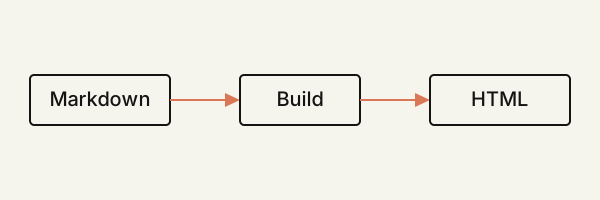
Images belong inline, as part of the content — not bolted on as a required cover field. Consecutive images automatically cluster into responsive galleries with a pure CSS lightbox, as seen in Kyoto photography.
Mathematical notation
Fast build-time math rendering powered by KaTeX supports inline equations like as well as display equations:
Footnotes
Markdown here also supports footnotes, for the aside that’s worth including without derailing the paragraph it interrupts1.
That covers the essentials. If it renders cleanly above, it’ll render cleanly in a real post too — this page and a normal article go through the exact same pipeline.
Footnotes
-
Which is the entire point of a footnote — say it, but not here. ↑